The right way to implement a school management system in Pakistan depends on three things: your school size, your current admin setup and the features you need from day one. This 5-step guide covers the full process for small private schools, school groups with multiple campuses, and Montessori or daycare centres.
Furthermore, every step uses real Pakistan specific details including local payment gateways, PSCA compliance, and SMS alerts that work on Pakistani networks. KiddieCove users complete the full implementation in three to five working days. However, the planning stage before you even log in is what makes the difference between a smooth launch and a frustrating one.
Why Implementing a School Management System Changes How Your School Runs
Manual admin work costs Pakistan private schools 20 to 30 hours per month. Fee registers, paper attendance, and WhatsApp-based parent updates all add up. Consequently, your admin team spends less time on students and more on paperwork. In addition, manual systems produce errors. A missed entry in the fee register means a dispute at the end of term. A lost attendance register means incomplete records during a PSCA inspection.
A school management system replaces all of that with one dashboard. Moreover, it does not require expensive hardware or a dedicated IT team. Because cloud-based platforms like KiddieCove run on any phone or laptop, your admin staff can use the system from the first day.
Step 1: Audit Your Current Admin Process
Before you implement a school management system, spend one hour mapping what your team does manually today. This audit becomes your checklist for what the software needs to replace.
What to Record During Your Audit
Write down every recurring admin task. Include fee collection, receipt printing, attendance marking, parent communication, result card production, and PSCA report generation. Then record how long each task takes per week. Furthermore, note which tasks cause the most errors or the most parent complaints. As a result, you know exactly which features to prioritise when you choose a platform.
Signs Your School Is Ready to Switch
Most Pakistan private schools are ready to implement a school management system when they hit one or more of these triggers. First, fee collection takes more than four hours per month to reconcile. Second, parents complain about slow fee receipts or missing notifications. Third, the school runs two or more campuses and managing them separately becomes inefficient. In addition, the April 2026 PSCA directive in Punjab now requires digital student records from all registered private schools. Therefore, compliance alone is a strong reason to act this term.
Step 2: Choose the Right School Management System for Your School
Not every school management platform fits every school. Therefore, match the software to your specific setup before you commit to implementation.
For Small Private Schools Under 300 Students
Small private schools under 300 students need a Starter plan that covers fee collection, attendance, SMS alerts, and PSCA reports. Because smaller schools have fewer admin staff, the software must be simple enough for one person to manage. KiddieCove’s Starter plan at PKR 3,000 per month covers all of this with no setup fee.
For School Groups With Multiple Campuses
School groups running two or more campuses need a platform that unifies all branches into one dashboard. Consequently, the group owner sees consolidated fee totals, attendance rates, and reports across every campus. KiddieCove’s Pro plan handles this at PKR 10,000 per month, which is cheaper than three separate Starter subscriptions at PKR 9,000 per month.
For Daycare and Montessori Centres
Daycare and Montessori centres require session-based attendance that tracks morning, afternoon, and full-day attendance separately. In addition, they need flexible billing cycles. KiddieCove supports all of these features on the Starter plan, so Montessori owners do not pay extra for non-standard timetables.
Step 3: Import Student Data and Set Up Fee Plans
Data import is the step most schools worry about. In practice, it takes under two hours for most Pakistan private schools. However, preparing your data before you log in cuts that time in half.
What to Prepare Before You Start
You need three things before you implement a school management system’s data import: a spreadsheet of student names and class assignments, parent phone numbers for SMS alerts, and your fee amounts for each class or grade. You do not need student addresses or date-of-birth data to start. Furthermore, if your student data is still in a paper register, a 30-minute manual entry session covers up to 100 students. Because most platforms accept a standard .xlsx file, there is no special formatting required.
How Fee Plan Setup Works
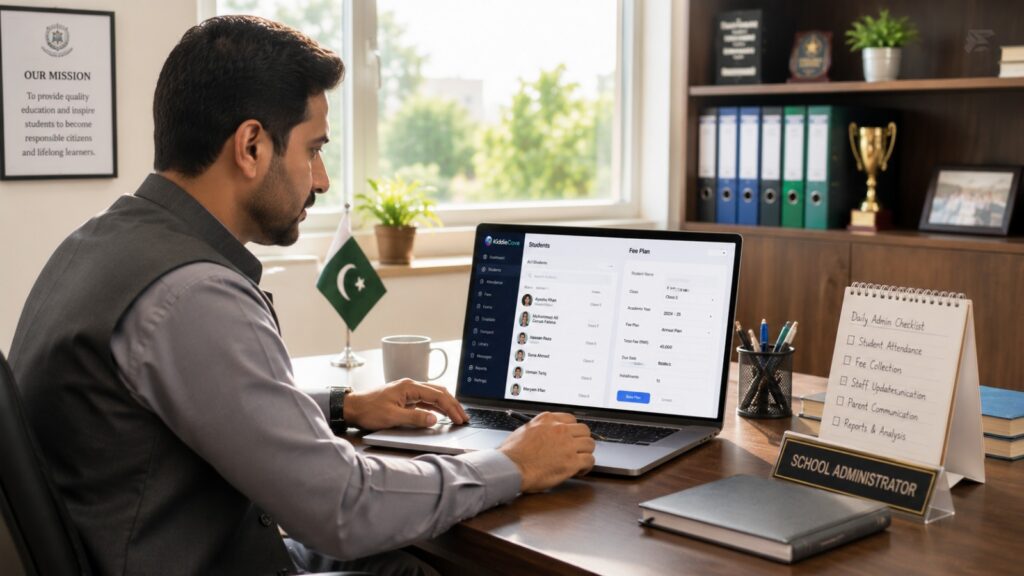
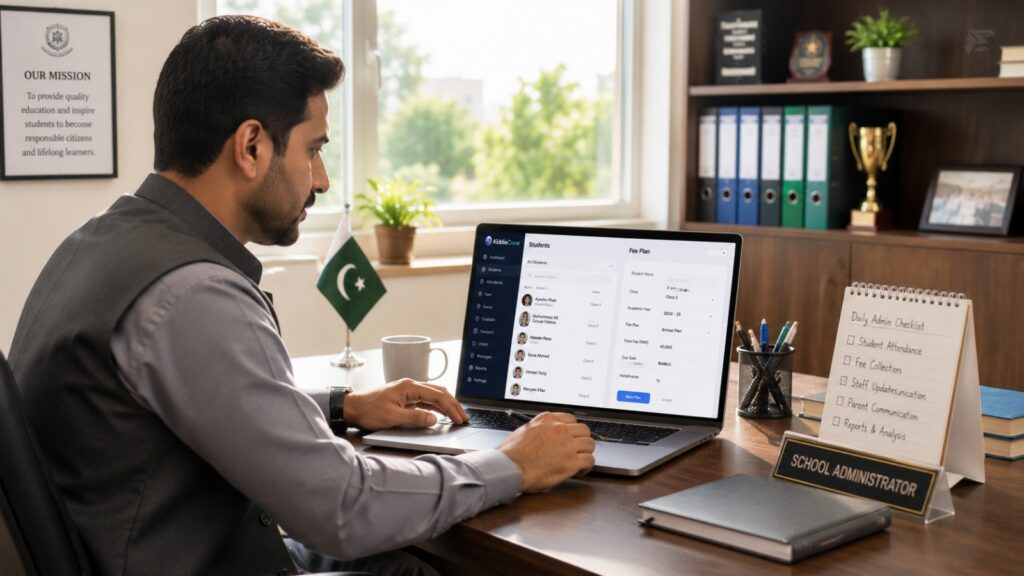
After importing students, add your fee structure. Set the monthly or termly amount for each class. Then connect your JazzCash or EasyPaisa account so parents receive a direct payment link with every fee SMS. As a result, parents pay without visiting the school office. In addition, the system generates a digital receipt automatically. Therefore, your fee register reconciles in real time with no manual entry at all.
Tip: Collect parent phone numbers before you start the import. Missing numbers delay the fee SMS setup by a day.
Step 4: Train Your Staff and Run a Pilot Week
Staff training is the step that most schools underestimate. Therefore, plan for it properly. Training does not need to be long. However, it needs to cover the right people with the right tasks.
Who Needs Training and How Long It Takes
Admin staff need two to three hours to learn fee management, report generation, and announcement broadcasts. Teachers need 30 to 45 minutes to learn attendance marking on their phones and how to view class lists. Furthermore, train your admin team first. After that, let them train the teachers. Because the teacher-facing interface is simpler, most teachers are fully independent within one class day.
What to Test During the Pilot Week
Run your pilot week with real student data but without switching off manual registers yet. Mark attendance digitally every day. Collect fees from two or three parents using the digital payment link. Send one test SMS announcement to all parents. Moreover, generate one attendance report and check it against your manual register. As a result, you catch data entry errors before the full go-live date.
Step 5: Go Live, Monitor, and Optimise
Go-live day is simpler than most school admins expect. Because you have already run a pilot week, your team knows exactly what to do. The only change on go-live day is that the manual register stays in the drawer.
Your First Week Live
Switch off your paper fee register and paper attendance register on day one. Do not run both systems at the same time. Running parallel systems creates confusion and duplicate records. Therefore, commit to the digital system fully from the first morning. Furthermore, ask two or three parent volunteers to test the digital fee payment link on go-live day. Because problems are easier to resolve in week one than week four, early feedback saves significant time later.
What to Check in the First Month
After one month, pull three reports: overall fee collection rate, daily attendance completion rate by teacher, and the number of parent SMS messages sent and delivered. Compare your fee collection rate to the month before implementation. For most Pakistan private schools, the digital fee reminder alone lifts the on-time payment rate by 10 to 20 percentage points within the first billing cycle. In addition, review any PSCA compliance reports the system generated. Because these are now a legal requirement in Punjab, verifying them in month one prevents issues at inspection.
Implementation Timeline at a Glance
The table below shows the standard implementation schedule for a small private school in Pakistan.
| Day | Activity | Who Does It |
| Day 1 | Data import + fee plan setup | School admin |
| Day 2 | Admin staff training (2-3 hours) | School admin + platform support |
| Day 3 | Teacher training (30-45 min per teacher) | School admin |
| Day 4-5 | Pilot week: live attendance + test fee payments | All staff |
| Day 6+ | Full go-live. Paper registers closed. | All staff |
School groups with multiple campuses take slightly longer. Because each campus needs its own data import and staff training session, allow five to seven working days for two campuses and seven to ten days for three or more.
Common Mistakes to Avoid During Implementation
Most implementation problems come from four predictable mistakes. The table below shows each one and the correct alternative.
| Common Mistake | What to Do Instead |
| Running two systems at the same time | Set a hard go-live date. Close the manual register on that day. |
| Skipping staff training | Book 2-3 hours for admin + 30-45 min per teacher before go-live. |
| Not testing fee payment before go-live | Send a test payment of PKR 1 during the pilot week. Confirm the receipt arrives. |
| Importing incomplete student data | Collect phone numbers for all parents before starting the import. |
Why Running Two Systems Fails
When staff update both the manual register and the digital system, records diverge within the first week. As a result, the admin team spends more time reconciling two sets of records than they saved by going digital. Therefore, set a firm go-live date and make it final. Your pilot week gives you the data and confidence to do this without risk.
Frequently Asked Questions About Implementing a School Management System
How long does it take to implement a school management system in Pakistan?
Most small private schools in Pakistan complete the full implementation in three to five working days. Data import and fee plan setup take one day. Staff training takes one to two days. The pilot week runs for five days before you go fully live.
Do I need a developer to implement a school management system?
No. Cloud-based school management systems like KiddieCove require no developer, no server, and no installation. You sign up online, import a student list spreadsheet, and the system is ready on any phone or laptop within the same session.
What data do I need before implementing a school management system?
You need student names, class assignments, parent phone numbers, and your fee amounts per class. You do not need date-of-birth or address data to start. You can add those fields after the system is live.
Can a daycare or Montessori centre implement a school management system?
Yes. KiddieCove supports session-based attendance for morning, afternoon, and full-day sessions, flexible billing cycles, daily activity logs, and authorised pickup tracking. These features make it suitable for daycare and Montessori setups that do not follow a standard school timetable.
How do I implement a school management system for multiple campuses?
You implement one system at the group level and assign campuses as branches within the same dashboard. Each campus gets its own admin login, attendance records, and fee reports. The group owner sees all campuses in one consolidated view.
Is there a free way to implement a school management system in Pakistan?
Yes. KiddieCove offers a free trial with full feature access. You implement the system, import your student data, and test fee collection during the trial. After the trial, the Starter plan costs PKR 3,000 per month with no setup fee.
What is the biggest mistake schools make when implementing a school management system?
The most common mistake is running the old manual system alongside the new digital one for too long. This creates duplicate records and confuses staff. The better approach is to set a hard go-live date and switch completely on that day.
Conclusion: Start Your Implementation This Week
The best time to implement a school management system in Pakistan is before the next term begins. Implement during a school break and your staff arrive for the new term already trained. Furthermore, parents receive digital fee links from the first day of the new term instead of the third week.
KiddieCove gives every school a free trial with full access to all features. Therefore, you can complete steps one through four of this guide before you pay a single rupee. See our full pricing guide for Pakistan schools to understand exactly what each plan covers.