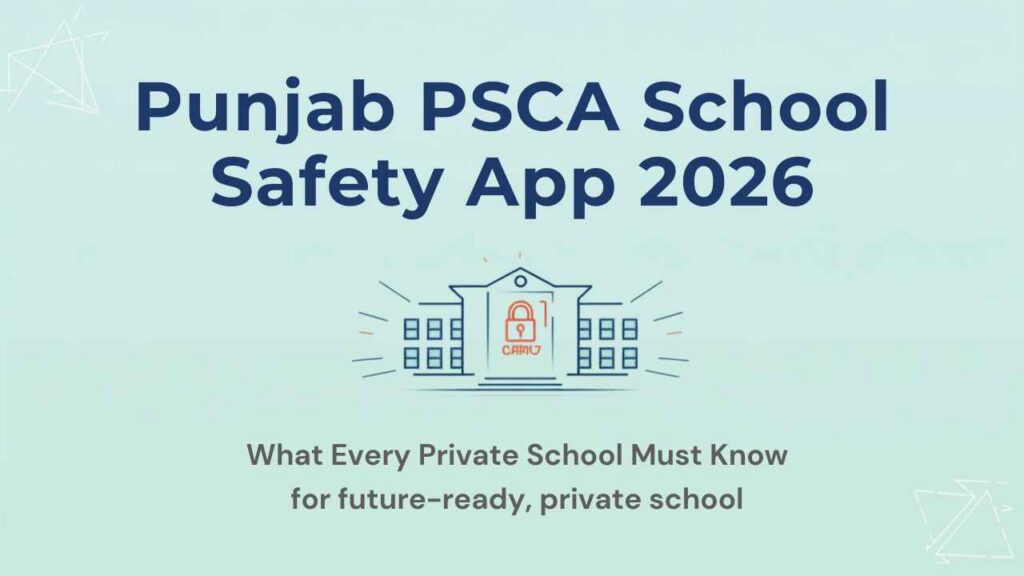
The PSCA school safety app is now mandatory for every A, A-plus, and B category school in Punjab. PSCA stands for Punjab Safe Cities Authority. The government launched this app to connect schools directly to emergency services. It uses a panic button and three daily security status updates to keep teachers, students, and administration linked to police and rescue services.
If your school has not installed the app or registered all staff, you face formal notices from your District Education Officer. Non-compliance also creates problems during school registration renewal.
This guide covers what the app does, who must comply, the five compliance steps, and why school records management matters alongside the PSCA app.
What Is the PSCA School Safety App?
The PSCA school safety app is the Public Safety App developed by the Punjab Safe Cities Authority (PSCA). It is available on Google Play Store and the Apple App Store. The Punjab government launched it as part of the Safe Punjab Vision and the Virtual Center for Educational Security initiative.
PSCA developed two separate versions. The Public Safety App is required for all male and female teachers and all school principals. Furthermore, female teachers and female principals must also install the PSCA Women Safety App. Both apps work on Android and iOS devices.
As of July 2026, more than 30,000 educational institutions and 130,000 teachers across Punjab are registered on the platform.
Which Punjab Schools Must Install the PSCA School Safety App?
All schools rated A, A-plus, or B by the School Education Department (SED) must install the PSCA school safety app. This covers both public and private schools. Every teacher, regardless of subject, and every school principal must register individually on the app.
The Punjab SED issued the initial directive in March 2026 with a compliance deadline of 3 March 2026. The department reinforced the mandate in April 2026 after reports of non-compliance across several districts. Therefore, DEOs were instructed to monitor registration rates and take strict action.
Schools in categories C and D are not in the current mandatory list. However, the SED has indicated the mandate may expand. Therefore, all private schools should install the app now regardless of current category rating.
What Does the PSCA School Safety App Do?
The PSCA school safety app connects teachers and school heads directly to emergency services in real time. It requires each registered teacher to update school security status three times per day. If any school is marked unsafe, automatic alerts go to the relevant police station and district administration immediately.
Key features of the PSCA school safety app:
Alert-15 panic button: Alert-15 panic button: instantly notifies emergency services and shares the user’s live location
Live chat and video support: Connects directly with the police control room through live chat and video calls
Virtual Women Police Station (VWPS): Available to female teachers for gender-specific safety concerns
Virtual Center for Child Safety (VCCS): For reporting and responding to child safety incidents
Real-time school security tracking: PSCA monitors all registered institutions centrally in real time
E-challan management: Registered users can view and manage traffic challans through the app
How to Complete PSCA App Compliance: 5 Steps for Private Schools
Private school owners who have not yet completed compliance can do so in five steps. Furthermore, these steps apply to both new registrations and to schools that have partially completed the process.
Step 1: Download the Correct PSCA App Version
Download the PSCA Public Safety App from the Google Play Store (App ID: com.psca.ppic3.publicsafety) or the Apple App Store. Search for “PSCA Public Safety” to find the official app. Install it on every school-owned device used by teaching and admin staff.
Female teachers and female principals must also download the PSCA Women Safety App (App ID: com.psca.ppic3.womensafety). Both apps must be active and running on their devices during school hours.
Step 2: Register Every Teacher and the Principal
Each teacher and the school principal must create a personal account on the PSCA school safety app. Because registration is individual, allow approximately 10 minutes per staff member. Therefore, set aside half a day for a school with 20 or more teachers.
The Monitoring and Evaluation Wing tracks individual registration counts. As a result, schools with partial staff registration still appear as non-compliant in DEO progress reports.
Step 3: Set Up Three Daily Security Status Updates
The app requires three security status reports per school per day: morning, midday, and afternoon. Assign one admin staff member to coordinate the update schedule and verify that no updates are missed before the end of the school day.
If any update marks the school as unsafe, automatic police and admin alerts fire immediately. Therefore, accuracy in daily status reporting is critical to avoid false alarms and unnecessary emergency responses.
Step 4: Submit the Acknowledgment Letter to Your DEO
After installation and registration, prepare a written acknowledgment on official school letterhead. The letter must include:
1. School name, exactly as registered in PEPRIS
2. EMIS code
3. District
The letter must be signed and stamped by the school principal. Submit it to your District Education Officer’s office. Contact your local DEO to confirm the preferred submission method, as some districts accept scanned email submissions.
Step 5: Brief All Staff on the Panic Button Procedure
Every registered teacher must know how to use the Alert-15 panic button. Conduct a 30-minute staff briefing that covers:
1. When to press the panic button (genuine security threats only)
2. What information the button shares with the police control room
3. How to verify location permissions are active on each registered phone
4. Who is the school’s designated safety coordinator for PSCA matters
Because the Alert-15 button shares live location, all staff must have location permissions enabled on the PSCA app at all times during school hours.
PSCA App Compliance Checklist for Punjab Private Schools
Use this checklist to track your school’s PSCA school safety app compliance status before your next DEO inspection.
| Compliance Task | Status | Responsible Party |
|---|---|---|
| Download PSCA Public Safety App on all school devices | Required | School admin |
| Download PSCA Women Safety App (female staff only) | Required | Female teachers + principal |
| Register all teachers individually on the app | Required | Each teacher |
| Register the school principal on the app | Required | Principal |
| Enable location permissions on all registered devices | Required | All registered staff |
| Set up three daily security status update schedule | Required | Designated admin staff |
| Submit written acknowledgment to DEO with EMIS code | Required | School principal |
| Brief all staff on panic button and emergency procedure | Required | School admin |
What Happens If Your School Does Not Comply?
The Punjab SED and PSCA treat non-compliance as a serious failure. DEOs were specifically instructed to monitor installation rates and take action against non-compliant schools. Furthermore, the Monitoring and Evaluation Wing submits district-level compliance reports to senior SED officials in Lahore.
Consequences of non-compliance include:
Formal notice issued by the District Education Officer
Adverse entries in PEPRIS (Punjab Education Management Information System)
Complications during school registration renewal applications
Potential linkage to building fitness certificate requirements under the May 2026 SED directive
Risk of closure for schools flagged for multiple compliance failures
Non-compliant schools appear in reports that go directly to senior SED officials. Therefore, completing registration now is far less disruptive than responding to a formal DEO notice or a PEPRIS adverse entry later.
Why We Recommend KiddieCove Alongside the PSCA School Safety App
The PSCA school safety app handles emergency alerts and daily security reporting. It does not manage the school records that PSCA inspectors check during compliance audits. That is where a school management system becomes essential.
KiddieCove is built specifically for Pakistan private schools. It supports PSCA readiness in six practical ways:
* Digital student records for PSCA audits:
PSCA inspectors verify digital student records during school visits. KiddieCove maintains complete student profiles, class records, and admission data in one searchable dashboard. Paper registers do not meet the April 2026 digital records directive.
* EMIS code and school data in one place:
Your EMIS code appears on every PSCA submission. KiddieCove stores your school’s EMIS code and registration details so any admin staff member can retrieve them instantly.
* Emergency contacts always current:
When a panic button fires, your staff needs parent phone numbers immediately. KiddieCove keeps every parent’s mobile number updated so admin staff can reach families within minutes of a PSCA alert.
* Staff digital attendance records:
The M&E Wing may request staff attendance data during compliance reviews. KiddieCove maintains timestamped digital staff attendance logs that you can export and submit on request.
* Instant parent communication during safety events:
KiddieCove’s SMS and WhatsApp broadcast lets you notify every parent immediately if a security situation affects school operations. One broadcast reaches all families in under two minutes.
* Audit-ready records for DEO inspections:
Schools running their admin through KiddieCove present clean, digital records to DEO inspectors. In contrast, schools using paper registers struggle to produce organised records under inspection pressure.
KiddieCove is not a replacement for the PSCA app. Your school needs both. Use the PSCA app for emergency alerts and daily security reporting. Use KiddieCove for student records, fees, attendance, and parent communication.
Plans start at PKR 3,000 per month with no setup fee. Try KiddieCove free before your next DEO inspection.
Start a free trial at kiddiecove.io and get your school records PSCA-inspection-ready today.
Frequently Asked Questions: PSCA School Safety App
Q: What is the PSCA school safety app and why is it mandatory?
A: The PSCA school safety app is the Public Safety App developed by Punjab Safe Cities Authority. The Punjab SED made it mandatory for all A, A-plus, and B category schools in March 2026. The app requires teachers to update school security status three times daily and provides a panic button that connects directly to the police control room in an emergency.
Q: Which schools in Punjab must install the PSCA school safety app?
A: All public and private schools rated A, A-plus, or B by the School Education Department must install the PSCA school safety app. Every teacher and the school principal must register individually. As of April 2026, strict action applies to schools that have not completed installation and registration.
Q: What was the deadline for PSCA school safety app registration?
A: The initial compliance deadline was 3 March 2026. The Punjab SED reinforced the mandate in April 2026. Schools that missed the deadline must complete registration immediately to avoid a formal notice from their District Education Officer.
Q: How many times a day must teachers update the PSCA school safety app?
A: Teachers must update the security status of their school three times daily. If a school is marked unsafe at any update, automatic alerts go to the police station and district administration for immediate response.
Q: What happens if a school does not install the PSCA school safety app?
A: Non-compliant schools receive formal notices from their DEO. Non-compliance appears in PEPRIS records and creates problems during school registration renewal. The Monitoring and Evaluation Wing tracks compliance rates and reports non-compliant schools to senior SED officials.
Q: Is the PSCA school safety app different from the Women Safety App?
A: Yes. The Public Safety App is required for all male and female teachers and principals. The Women Safety App is an additional app that female teachers and female principals must also install. Both are available on Google Play and the Apple App Store.
Q: How does KiddieCove help Punjab private schools meet PSCA compliance requirements?
A: KiddieCove helps Punjab private schools maintain the digital student records, EMIS code data, emergency contacts, and staff attendance logs that PSCA inspectors check during audits. It also provides one-click SMS and WhatsApp broadcasts for rapid parent communication when a PSCA alert affects school operations. KiddieCove is a school management system, not a replacement for the PSCA app itself.
Conclusion: Get Your School PSCA-Compliant Before the Next Inspection
The PSCA school safety app is a legal requirement for every A, A-plus, and B category school in Punjab. The compliance steps are clear: download the correct app, register all staff, set up three daily updates, submit the acknowledgment letter, and brief your team on the panic button.
Furthermore, completing compliance now protects your PEPRIS record and prevents complications during your next registration renewal. Non-compliant schools face formal notices and adverse entries that are harder to resolve than the original compliance steps.
Alongside the PSCA app, maintain your school’s digital records in a system that DEO inspectors trust. KiddieCove gives Punjab private schools complete student records, current emergency contacts, and instant parent communication on one affordable platform.