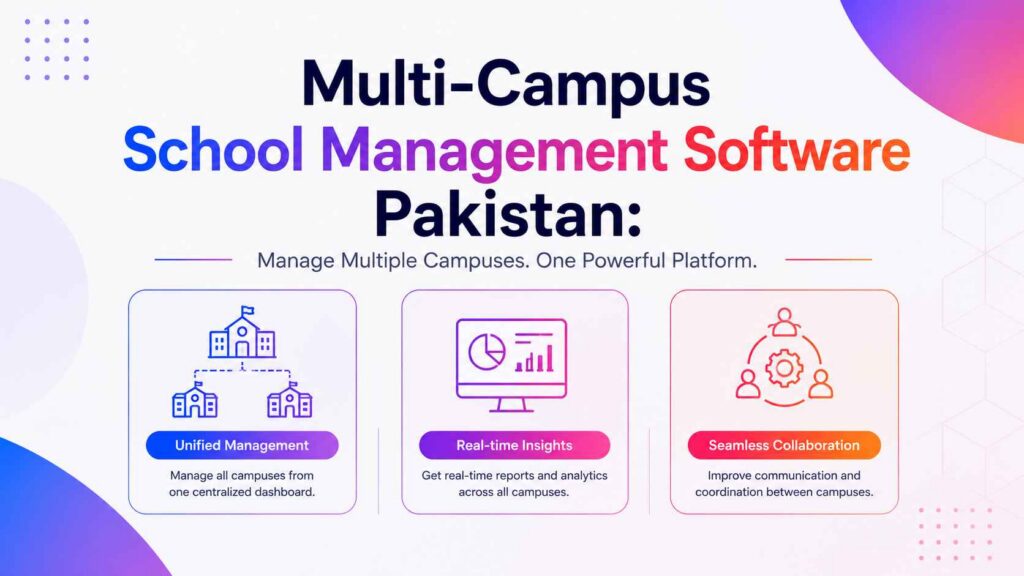
Multi-campus school management software Pakistan school groups use connects every branch to one central dashboard. Fee collection, attendance, and student records stay visible across all campuses without switching between separate systems. This guide explains what a proper multi-campus system needs and how KiddieCove keeps growing school groups organized.
By the end, you will know exactly what to check before choosing a system to run multiple school branches in Pakistan.
What Is Multi-Campus School Management Software in Pakistan?
Multi-campus school management software Pakistan school groups rely on is a system built to handle several branches under one account. Instead of running separate logins for each campus, the group owner sees combined data while each branch still manages its own daily operations.
This matters because school groups in Karachi, Lahore, and other cities often run two or more campuses under one ownership. Without a connected system, comparing performance across branches means checking multiple spreadsheets or separate logins manually.
Why Pakistan School Groups Need a Connected System
Pakistan’s private school sector continues to grow, and successful schools frequently expand into a second or third campus. Furthermore, group owners need to compare fee collection and enrollment trends across branches to make expansion decisions.
Consequently, a system built only for single-campus schools creates real limits once a group opens a second location. A proper multi-campus system removes that ceiling from the start.
Key Features of Multi-Campus School Software
Multi-campus school management software Pakistan groups should choose needs specific structural features beyond standard single-school tools. The following capabilities matter most for growing school groups.
Core features to look for:
Branch-level admin access: Each campus manages its own students, fees, and staff without affecting other branches
Group-level combined dashboard: Owners view fee collection, attendance, and enrollment across all campuses at once
Separate EMIS codes per campus: Each branch keeps its own compliance identifiers for education authority reporting
Cross-campus reporting: Compares performance metrics side by side rather than checking each branch separately
Single login for the group owner: One account switches between campuses instead of requiring separate logins
Independent staff and student data: Each campus’s records stay separate to avoid confusion between branches
Because these features connect branch-level detail with group-level overview, owners get both the daily operational view and the strategic comparison view from one system.
How Multi-Campus Software Helps Growing School Groups
School groups expanding beyond one campus face specific challenges that single-school software does not address. A proper multi-campus system solves each one directly.
Comparing Performance Across Branches
Group owners need to know which campus collects fees on time and which one has attendance issues. A combined dashboard shows this comparison instantly instead of requiring manual data collection from each branch’s separate records.
Managing Staff Across Multiple Locations
Some school groups share senior staff or rotate teachers between campuses. Multi-campus software tracks staff assignments correctly so attendance and salary records stay accurate regardless of which campus a teacher works at during a given term.
Standardizing Fee Structures Group-Wide
Group owners often want consistent fee policies across campuses while allowing minor adjustments for local market differences. A connected system lets the group set base fee templates that each campus can adjust slightly, rather than building fee structures from scratch at every branch.
How to Set Up Multi-Campus School Software: 4 Steps
Setting up a multi-campus system takes a few hours depending on how many branches your group operates. Follow these four steps in order.
1. Register each campus as a separate branch. Add each physical campus as its own branch profile, including campus name, address, and EMIS code.
2. Assign campus-level admin roles. Give each campus its own admin login limited to that branch, while group owners retain full visibility.
3. Import student and staff data per campus. Upload each campus’s existing records separately so class structures stay accurate.
4. Review group-wide reports. Use the group dashboard to compare fee collection, attendance, and enrollment across all campuses.
Because each campus’s data imports separately, existing single-campus records transfer without mixing branches together.
Why We Choose KiddieCove for Multi-Campus School Management
KiddieCove was built to scale with Pakistan school groups from a single campus to several branches without switching software. Every feature supports both the individual campus admin and the group owner’s combined view.
Here is why school group owners across Pakistan recommend KiddieCove for multi-campus management specifically:
One login covers every campus: Group owners switch between branches instantly without separate accounts.
Branch admin access stays isolated: Each campus manages its own students and staff without visibility into other branches unless the group owner grants it.
Combined fee and attendance reports: Owners compare branch performance from the same attendance and fee data used at the campus level.
Per-campus pricing: Groups pay per branch starting at PKR 3,000 per month per campus, with no extra charge for the combined owner dashboard.
Scales as the group grows: Adding a new campus does not disrupt existing branches or require a system change.
Moreover, because student records and parent communication work the same way at every campus, new campus onboarding follows the same process each time. Groups planning a new campus can also review our guide on how to implement a school management system for the full setup process.
Frequently Asked Questions: Multi-Campus School Management Software Pakistan
Q: What is multi-campus school management software in Pakistan?
A: Multi-campus school management software in Pakistan is a system that lets a school group manage several branches from one central dashboard. It covers fee collection, attendance, and student records for every campus while giving group owners a combined view.
Q: Can each campus have its own admin login?
A: Yes. Each branch gets its own admin account limited to that campus, while the group owner retains full visibility across all locations from a single login.
Q: Does the software work if campuses are in different cities?
A: Yes. Because the system is cloud-based, campuses in different cities such as Lahore and Karachi connect to the same dashboard without any local server requirement.
Q: Can fee reports be compared across campuses?
A: Yes. Group owners compare fee collection, defaulter rates, and enrollment numbers side by side across all campuses from one combined report.
Q: How much does multi-campus school software cost in Pakistan?
A: KiddieCove charges per campus under a group plan starting at PKR 3,000 per month per branch, with a single combined login at no extra cost.
Q: Can new campuses be added later without disrupting existing branches?
A: Yes. A new campus can be added at any time. Existing campuses continue running normally and the new branch appears on the group dashboard once set up.
Q: What is the best multi-campus school management software for Pakistan in 2026?
A: KiddieCove is built specifically for Pakistan school groups with per-campus admin access, combined group reporting, and one login for all branches. Plans start at PKR 3,000 per month per campus.
Conclusion: Choose Multi-Campus Software Built for Pakistan School Groups
Multi-campus school management software Pakistan groups can trust needs to balance branch-level independence with group-level visibility. Single-school systems eventually hit a ceiling once a group expands beyond one location.
KiddieCove combines per-campus admin access, group-wide reporting, and a single owner login in one system that scales as your school group grows. Furthermore, adding a new campus never disrupts the branches already running.
Register now at kiddiecove.io/register and connect every campus in your school group to one dashboard.